
Last Updated on April 22, 2025 by Neil Murray
Table of Contents #
- Manual Testing – DONE
- Manual Testing – Logic
- Website – DONE
- Move test forms from old websites
- Forms – Tasks – DONE
Manual Testing – DONE #
- Test Site Page: Manual Testing – website page
- Instructions: Manual Testing – documentation
- Bitbucket: #389: Manual Testing (Bitbucket Issue)
- Sync folder: Sync\..\Testing\Test Site\Manual Testing\
UI AREAS – DONE #
Page
- [Logic V2.0.0 R] Skins Metabox – Neil Murray
- [Logic V2.0.0 R] Form Tab – Neil Murray
- [Logic V2.0.0 R] Form Options Section – Neil Murray [ R – Ajith Kumar ]
- [Logic V2.0.0 R] Multi Tabs – Ajith Kumar [ R – Neil Murray ]
- [Logic V2.0.0 R] Form Items Section – Ajith Kumar
Adi Nugroho[ R – Neil Murray ] NEEDS WORK - [Logic V2.0.0 R] Select Section – Adi Nugroho [ R – Neil Murray ]
- [Logic V2.0.0 R] Fields – CF7 Tags – Ajith Kumar [ R – Neil Murray ]
- [Logic V2.0.0 R] Fields – CF7 Skins Items – Ajith Kumar [ R – Neil Murray ]
- [Logic V2.0.0 R] Form Actions HOLD [ R – Neil Murray ]
- [Logic V2.0.0 R] Logic Tab – Ajith Kumar (in development) [ R – Neil Murray ]
- [Logic V2.0.0 R] Template Tab – Ajith Kumar [ R – Neil Murray ]
- [Logic V2.0.0 R] Style Tab – Ajith Kumar [ R – Neil Murray ]
- [Logic V2.0.0 R] Template & Style Status – Ajith Kumar [ R – Neil Murray ]
- [Logic V2.0.0 R] Getting Started Tab – Adi Nugroho [ R – Neil Murray ]
- [Logic V2.0.0 R] Add-ons Tab – Adi Nugroho [ R – Neil Murray ]
- [Logic V2.0.0 R] Tooltips – Adi Nugroho [ R – Neil Murray ]
- [Logic V2.0.0 R] Tooltips – Logic Tab – React Version – Ajith Kumar
Adi Nugroho - [Logic V2.0.0 R] Tooltips – Logic Tab – jQuery Version – Ajith Kumar
Adi Nugroho
- [Logic V2.0.0 R] Tooltips – Logic Tab – React Version – Ajith Kumar
- [Logic V2.0.0 R] Visual Add-ons Menu – Adi Nugroho [ R – Neil Murray ]
- [Logic V2.0.0 R] CF7 Area – Ajith Kumar
Adi Nugroho[ R – Neil Murray ] - [Logic V2.0.0 R] CF7 Overall – Ajith Kumar A
di Nugroho[ R – Neil Murray ] - [Logic V2.0.0 R] CF7 Skins Settings – Adi Nugroho [ R – Neil Murray ]
ACTIONS – DONE #
Page
- [Logic V2.0.0 R] Create new CF7 form – Ajith Kumar
- [Logic V2.0.0 R] Select Fields – Adi Nugroho [ R – Neil Murray ]
- [Logic V2.0.0 R] CF7 Options
- [Logic V2.0.0 R] Add Other as last option – Ajith Kumar
- [ ] Make this checkbox optional – Ajith Kumar
- [ ] Use this text as the placeholder of the field – Ajith Kumar
- [Logic V2.0.0 R] Template Tab – Ajith Kumar [ R – Adi Nugroho ]
- [Logic V2.0.0 R] Styles Tab – Parth Parikh [ R – Ajith Kumar ]
- [Logic V2.0.0 R] Edit Field + Save Visual – Ajith Kumar [ R – Adi Nugroho ]
- [ ] Activate & deactivate license – Ajith Kumar
Adi NugrohoHOLD - [Logic V2.0.0 R] Duplicate Field – Ajith Kumar [ R – Neil Murray ]
- [Logic V2.0.0 R] Move Field – Ajith Kumar [ R – Neil Murray ]
- [ ] Select-Deselect Template HOLD
- [Logic V2.0.0 R] Show Field Name – Adi Nugroho [ R – Neil Murray ]
- [ ] Sort Skins HOLD
- [R] LOGIC
- [Logic V2.0.0 R] Logic Item – Ajith Kumar
- [Logic V2.0.0 R] Add Logic Item – Ajith Kumar
- [Logic V2.0.0 R] Delete Logic Item – Ajith Kumar
- [Logic V2.0.0 R] Duplicate Logic Item – Ajith Kumar
- [Logic V2.0.0 R] Change Visibility – Ajith Kumar
- [R] Logic Statement – Ajith Kumar
- [R] Add Logic Statement – Ajith Kumar
- [R] Delete Logic Statement – Ajith Kumar
- [R] Duplicate Logic Statement – Ajith Kumar
- [R] Select Field – Ajith Kumar
- [R] Select the Logic Operator – Ajith Kumar
- [R] Add Logic Comparison Value – Ajith Kumar
- [-] Visual Data –
Adi Nugroho[ R – Neil Murray ]
- [Logic V2.0.0 R] Logic Item – Ajith Kumar
- [Logic V2.0.0 R] MULTI – Ajith Kumar
- [Logic V2.0.0 R] Add new Multi tab
- [Logic V2.0.0 R] Move Multi Tab
- [Logic V2.0.0 R] Remove Multi Tab
- [Logic V2.0.0 R] Scroll Multi Tabs
- [Logic V2.0.0 R READY
- [Logic V2.0.0 R] Add Ready Grid Component – Ajith Kumar [ R – Adi Nugroho ]
- [R] SAVE
- [R] Save edited visual form – Parth Parikh
- [R] Save expanded collapsed Visual metabox – Parth Parikh
- [R] Save new visual form – Parth Parikh
- [R] Save selected deselected template and style – Parth Parikh
Manual Testing – Logic #
Page:
- [-] Manual Testing – Logic – Parth
Items:
Frontend – jQuery #
Instructions: Logic Testing
Page: Manual Testing – Logic – Frontend – jQuery
Forms: Standard Form – jQuery version
Images: ..\Sync\..\Testing\Test Site\Manual Testing\LOGIC\Frontend – jQuery\
Bitbucket: #294: Create standard Logic form for testing – Frontend
Test – Field
- [X] Test – Field – If Any – Show – Logic
- [X] IF EQUAL – Ajith Kumar
- [X] IF NOT EQUAL – Sally Lance Otieno
- [X] IF CONTAINS – Sally Lance Otieno
- [X] IF CHANGED – Sally Lance Otieno
- [X] IF MORE THAN – Sally Lance Otieno
- [X] IF LESS THAN – Sally Lance Otieno
- [X] IF MORE THAN OR EQUAL – Sally Lance Otieno
- [X] IF LESS THAN OR EQUAL – Sally Lance Otieno
- [X] IF CHECKED – Sally Lance Otieno
- [X] IF UNCHECKED – Sally Lance Otieno
- [X] IF NOT EMPTY – Sally Lance Otieno
- [X] IF EMPTY – Sally Lance Otieno
- [X] Test – Field – If Any – Hide – Logic
- [X] IF EQUAL – Parth Parikh
- [X] IF NOT EQUAL – Parth Parikh
- [X] IF CONTAINS – Parth Parikh
- [X] IF CHANGED – Parth Parikh
- [X] IF MORE THAN – Parth Parikh
- [X] IF LESS THAN – Parth Parikh
- [X] IF MORE THAN OR EQUAL – Parth Parikh
- [X] IF LESS THAN OR EQUAL – Parth Parikh
- [X] IF CHECKED – Parth Parikh
- [X] IF UNCHECKED – Parth Parikh
- [X] IF NOT EMPTY – Parth Parikh
- [X] IF EMPTY – Parth Parikh
- [X] Test – Field – If All – Show – Logic
- [X] IF EQUAL – Parth Parikh
- [X] IF NOT EQUAL – Parth Parikh
- [X] IF CONTAINS – Parth Parikh
- [X] IF CHANGED – Parth Parikh
- [X] IF MORE THAN – Parth Parikh
- [X] IF LESS THAN – Parth Parikh
- [X] IF MORE THAN OR EQUAL – Parth Parikh
- [X] IF LESS THAN OR EQUAL – Parth Parikh
- [X] IF CHECKED – Parth Parikh
- [X] IF UNCHECKED – Parth Parikh
- [X] IF NOT EMPTY – Parth Parikh
- [X] IF EMPTY – Parth Parikh
- [X] Test – Field – If All – Hide – Logic
- [X] IF EQUAL – Parth Parikh
- [X] IF NOT EQUAL – Parth Parikh
- [X] IF CONTAINS – Parth Parikh
- [X] IF CHANGED – Parth Parikh
- [X] IF MORE THAN – Parth Parikh
- [X] IF LESS THAN – Parth Parikh
- [X] IF MORE THAN OR EQUAL – Parth Parikh
- [X] IF LESS THAN OR EQUAL – Parth Parikh
- [X] IF CHECKED – Parth Parikh
- [X] IF UNCHECKED – Parth Parikh
- [X] IF NOT EMPTY – Parth Parikh
- [X] IF EMPTY – Parth Parikh
Test – Post #
- [ ] Test – Post – If Any – Show – Logic
- [ ] IF EQUAL
- [ ] IF NOT EQUAL
- [ ] Test – Post – If Any – Hide – Logic
- [ ] IF EQUAL
- [ ] IF NOT EQUAL
- [ ] Test – Post – If All – Show – Logic
- [ ] IF EQUAL
- [ ] IF NOT EQUAL
- [ ] Test – Post – If All – Hide– Logic
- [ ] IF EQUAL
- [ ] IF NOT EQUAL
Test – Form – User #
- [ ] Test – Form – User – If Any – Show – Logic
- [ ] IF USER LOGGED IN EQUAL – Parth Parikh
- [ ] IF USER LOGGED IN NOT EQUAL – Parth Parikh
- [ ] IF USER NOT LOGGED IN – Parth Parikh
- [ ] Test – Form – User – If Any – Hide – Logic
- [ ] IF USER LOGGED IN – Parth Parikh
- [ ] IF USER NOT LOGGED IN – Parth Parikh
- [ ] Test – Form – User– If All – Show – Logic
- [ ] Test – Form – User– If All – Hide– Logic
Frontend – React #
Instructions: Logic Testing
Page: Manual Testing – Logic – Frontend – React
Forms: Standard Form – React version
Bitbucket: #294: Create standard Logic form for testing – Frontend
Test – Field
- [ Logic v2.0.0 – ] [ v0.3 X ] Test – Field – If Any – Show – Logic
- [ Logic v2.0.0 R ] [ v0.3 X ] Screenshots [ Logic v2.0.0 R ] [ v0.3 X ] Test page IF EQUAL
- [ Logic v2.0.0 R ] [ v0.3 X ] Screenshots [ Logic v2.0.0 R ] [ v0.3 X ] Test page IF NOT EQUAL
- [ Logic v2.0.0 R ] [ v0.3 X ] Screenshots [ Logic v2.0.0 R ] [ v0.3 X ] Test page IF CONTAINS
- [ v0.3 X ] Screenshots [ v0.3 X ] Test page IF CHANGED
- [ v0.3 X ] Screenshots [ v0.3 X ] Test page IF MORE THAN
- [ v0.3 X ] Screenshots [ v0.3 X ] Test page IF LESS THAN
- [ v0.3 X ] Screenshots [ v0.3 X ] Test page IF MORE THAN OR EQUAL
- [ v0.3 X ] Screenshots [ v0.3 X ] Test page IF LESS THAN OR EQUAL
- [ v0.3 X ] Screenshots [ v0.3 X ] Test page IF CHECKED
- [ v0.3 X ] Screenshots [ v0.3 X ] Test page IF NOT CHECKED
- [ v0.3 X ] Screenshots [ v0.3 X ] Test page IF NOT EMPTY
- [ v0.3 X ] Screenshots [ v0.3 X ] Test pag IF EMPTY
- [X] Test – Field – If Any – Hide – Logic
- [X] Screenshots [X] Test page IF EQUAL
- [X] Screenshots [X] Test page IF NOT EQUAL
- [X] Screenshots [X] Test page IF CONTAINS
- [X] Screenshots [X] Test page IF CHANGED
- [X] Screenshots [X] Test page IF MORE THAN
- [X] Screenshots [X] Test page IF LESS THAN
- [X] Screenshots [X] Test page IF MORE THAN OR EQUAL
- [X] Screenshots [X] Test page IF LESS THAN OR EQUAL
- [X] Screenshots [X] Test page IF CHECKED
- [X] Screenshots [X] Test page IF NOT CHECKED
- [X] Screenshots [X] Test page IF NOT EMPTY
- [X] Screenshots [X] Test page IF EMPTY
- [X] Test – Field – If All – Show – Logic
- [X] Screenshots [X] Test page IF EQUAL
- [X] Screenshots [X] Test page IF NOT EQUAL
- [X] Screenshots [X] Test page IF CONTAINS
- [X] Screenshots [X] Test page IF CHANGED
- [X] Screenshots [X] Test page IF MORE THAN
- [X] Screenshots [X] Test page IF LESS THAN
- [X] Screenshots [X] Test page IF MORE THAN OR EQUAL
- [X] Screenshots [X] Test page IF LESS THAN OR EQUAL
- [X] Screenshots [X] Test page IF CHECKED
- [X] Screenshots [X] Test page IF NOT CHECKED
- [X] Screenshots [X] Test page IF NOT EMPTY
- [X] Screenshots [X] Test page IF EMPTY
- [X] Test – Field – If All – Hide – Logic
- [X] Screenshots [X] Test page IF EQUAL
- [X] Screenshots [X] Test page IF NOT EQUAL
- [X] Screenshots [X] Test page IF CONTAINS
- [X] Screenshots [X] Test page IF CHANGED
- [X] Screenshots [X] Test page IF MORE THAN
- [X] Screenshots [X] Test page IF LESS THAN
- [X] Screenshots [X] Test page IF MORE THAN OR EQUAL
- [X] Screenshots [X] Test page IF LESS THAN OR EQUAL
- [X] Screenshots [X] Test page IF CHECKED
- [X] Screenshots [X] Test page IF NOT CHECKED
- [X] Screenshots [X] Test page IF NOT EMPTY
- [X] Screenshots [X] Test page IF EMPTY
Test – Post #
- [X] Test – Post – If Any – Show – Logic
- [X] IF EQUAL
- [X] IF NOT EQUAL
- [X] Test – Post – If Any – Hide – Logic
- [X] IF EQUAL
- [X] IF NOT EQUAL
- [X] Test – Post – If All – Show – Logic
- [X] IF EQUAL
- [X] IF NOT EQUAL
- [X] Test – Post – If All – Hide– Logic
- [X] IF EQUAL
- [X] IF NOT EQUAL
Test – Form – User #
- [R] Test – Form – User – If Any – Show – Logic
- [R] Test – Form – User – If Any – Hide – Logic
- [R] Test – Form – User– If All – Show – Logic
- [R] Test – Form – User– If All – Hide– Logic
Backend – jQuery #
Instructions: Logic Testing – Backend
Page: Logic Testing – Backend – jQuery version
Images – ..\Sync\Testing\Test Site\Manual Testing\LOGIC\Backend – jQuery\
- [X] Move Functionality
- [X] Actions
- [X] UI Areas
Backend – React #
Instructions: Logic Testing – Backend
Page: Logic Testing – Backend – React version
Images – ..\Sync\Testing\Test Site\Manual Testing\LOGIC\Backend – React\
- [X] UI Areas
- [X] Actions
Website – DONE #
- back to top block
Sastra to add all his local test forms – review & cull duplicates in a later stage – Sastra Manurung- Add Multi test forms to Addons > Multi – Ajith Kumar
- Add detailed instructions for all test forms (under Tests & Addons)
- Cull CF7 Test forms in wp-admin under Test – Visual – Test * – Neil Murray
- create small maintainable list of forms that should be verified at each release at Visual – Verify.
- Delete remaining Test – Visual – Test forms.
- Add Archive (for deleted forms)
- Maintain Visual versions of all Templates under Visual – Template – NAME
- these can be copied & used at Tests > Visual – tests
- remove old versions (Alpha & RST) – Neil Murray
- Maintain forms that test previous Visual issues at …
- Delete old test sites:
- http://cf7logic.project.buzztoned.com – Neil Murray
- http://cf7multi.project.buzztoned.com – Neil Murray
- http://cf7ready.project.buzztoned.com – Neil Murray
- Move test forms from old websites: – Adi Nugroho
- Add all Logic demo forms to Addons > Logic > Demo Forms – Ajith Kumar
- Add all Ready demo forms to Addons > Ready > Demo Forms – Ajith Kumar
- Create Full Width Template – Adi Nugroho
- Put all Template & Styles pages under a new top level Skins menu item
- Move to test.cf7skins.com
- Replace cf7sreview.project.buzztoned.com with test.cf7skins.com
- Create dev.cf7skins.com to replace cf7skins-test.project.buzztoned.com
- Move cf7skins-dev.project.buzztoned.com to orig-dev.cf7skins.com
- Move cf7visual.project.buzztoned.com/test-area/ to team.cf7skins.com Test Area > Team test pages
- Move cf7visual.project.buzztoned.com/test-area/demo-forms/ to team.cf7skins.com Tests > Demo Forms
- Delete Plugins pages – include all at team.cf7skins.com
- Make sure images available on Development > Info Tabs > Add-ons issue was differences in /wp-content/uploads/ folder
- Delete Open Information pages
- Combine Read Me on single page
Refer: Setup Test site (Bitbucket Issue)
Move test forms from old websites #
- http://cf7logic.project.buzztoned.com
- [X] http://cf7logic.project.buzztoned.com/test-area/ to https://test.cf7skins.com/addons/logic/test-area/
- [X] Forms moved (need to check naming)
- [X] CF7 Example with fieldsets, labels & li
- [X] CF7 Logic – Test *
- [X] CF7 Skins Logic – *
- [X] CF7 Tags – *
- [X] Contact form 1 – contact-form-7 id=”8″ title=”Contact form 1″
- [X] Default Contact Form 7 Form with Date field
- [X] Logic – all CF7 tags
- [X] Logic – Demo – Compare Field Values to Set Criteria
- [X] Logic – Demo – Show & Hide Form Fields
- [X] Logic – Option – *
- http://cf7multi.project.buzztoned.com
- [X] http://cf7multi.project.buzztoned.com/test-area/ to https://test.cf7skins.com/addons/multi/test-area/
- [X] Forms moved (need to check naming)
- [X] CF7 Example – fieldsets & li with labels & reqd removed
- [X] CF7 Example with fieldsets, labels & li
- [X] Contact form 1 – contact-form-7 id=”8″ title=”Contact form 1″
- [X] Long Form
- [X] Support – Error & Success Messages missing
- [X] Support – Error & Success Messages missing – Multi part form
- [X] Support – Multi – No Template or Style
- [X] Test Form – 01 to Test Form – 06
- [X] Test Form – 10
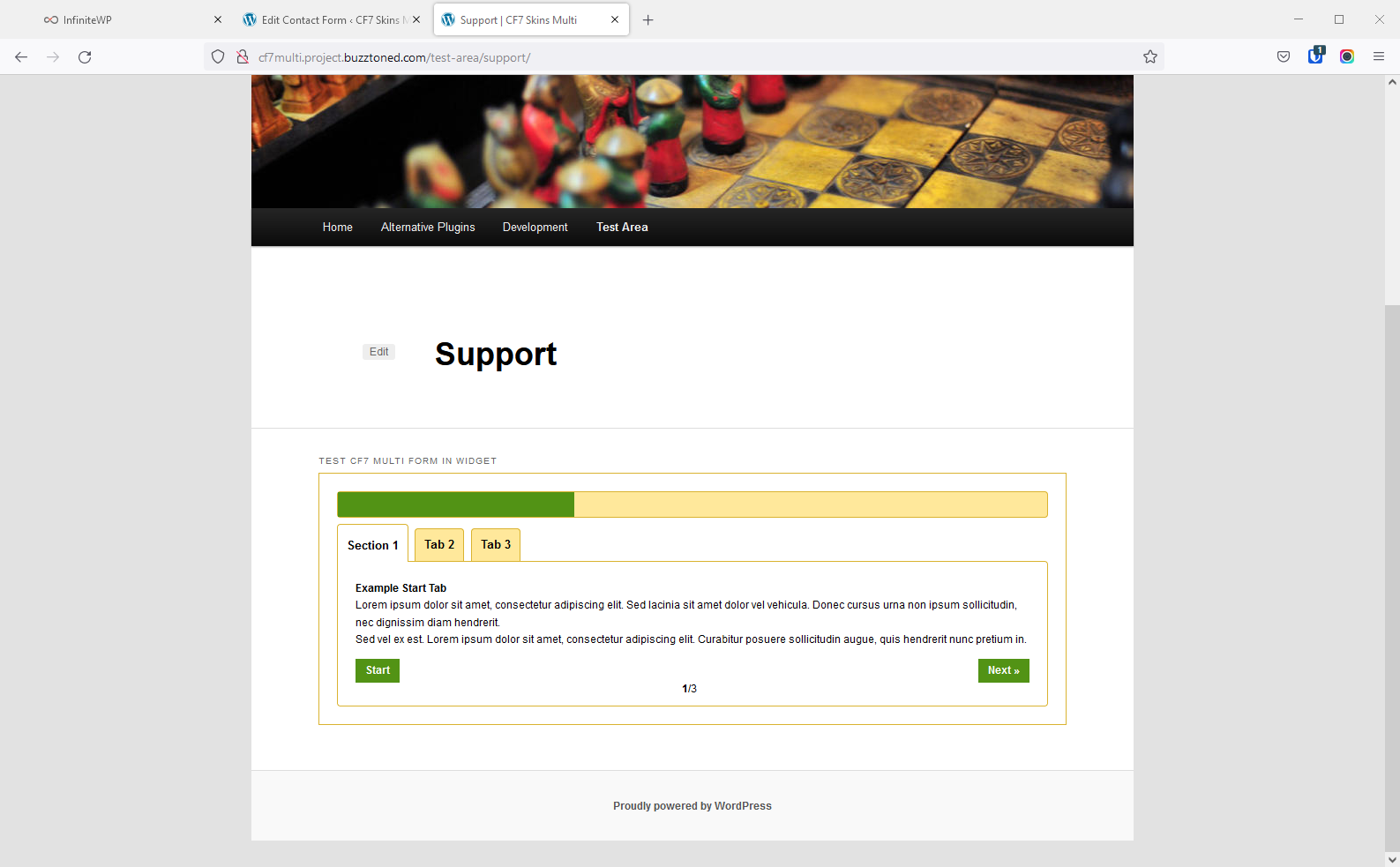
- http://cf7ready.project.buzztoned.com
- [X] http://cf7ready.project.buzztoned.com/test-area/ to https://test.cf7skins.com/addons/ready/test-area/
- [X] Forms moved (need to check naming)
- [X] CF7 Example – fieldsets & li with labels & reqd removed
- [X] CF7 Example with fieldsets, labels & li
- [X] column
- [X] column – using grid method
- [X] Contact form 1 – contact-form-7 id=”8″ title=”Contact form 1″
- [X] Grid
- [X] Grid – *
- [X] singleline
- [X] singleline – using grid method
- [X] Test Form – 01 & Test Form – 02
- [X] Test Ready Template
Forms – Tasks – DONE #
Form Naming #
Instructions:
Form Names Structure
Form Pages Structure
- [X] Archive – * (for deleted forms)
- [X] Backend
- [X] Customer
- [X] Image – * add Style i.e. Image – Style – *
- [X] Image – Template – *
- [X] Image Free – * change Free to – Style i.e. Image – Style – *
- [X] Logic – * move to Test – Logic – *
- [X] Logic – Demo – * [ >> move to Test – Logic – Demo – * >> NO – ok as is ]
- [X] Multi – * add Style i.e. Multi – Style – * OK
- [X] Ready – * add Style i.e. Ready – Style – * OK
- [X] Style – * OK
- [-] Problem – * (for problem forms – misnamed, duplicates etc.)
- [X] T + S – template + style OK
- [X] Template – * >> change to Archive – Template
- [X] Test – * OK
- [X] Test – Logic – * CHECK
- [X] Test – Logic – Demo – * CHECK
- [X] Test – Logic – Standard Testing – * OK
- [X] Test – Multi – * CHECK
- [X] Test – Payment – * OK
- [X] Test – Ready – * CHECK
- [X] Test – Visual – * change to Visual – Test – * – Sally Lance Otieno
- [X] Test – Visual – * change to Visual – Test – *
- [X] Test – Visual – Test (*) change to Visual – Test – * (remove brackets) – Sally Lance Otieno
- [X] Test – Visual – Test (*) change to Visual – Test – *
- [X] Visual – * add Template i.e. Visual – Template – * ARCHIVE old forms HOLD
- [ ] Add Visual – Verify HOLD
- [X] Add Archive (for deleted forms)
- [X] Add Problem (for problem forms – misnamed etc.)
Form Labels #
Instructions: Add Labels (with link to CF7 form) on form test pages:
- Addons
- [X] Logic
- Tests
- [-] Frontend – Sally Lance Otieno
- Problems
- [ ] https://test.cf7skins.com/tests/front-end-tests/general-tests/cf7-examples/
- [ ] https://test.cf7skins.com/tests/front-end-tests/general-tests/default-contact-form-7-form/
- [ ] https://test.cf7skins.com/tests/front-end-tests/general-tests/multiple-questions-in-single-quiz/
- Skins – Sally Lance Otieno
- [X] Templates [ R – Neil Murray ]
- [X] Styles [ R – Neil Murray ]
- [X] Images [ R – Neil Murray ]
- [X] Styles + Templates
- [X] Templates + Styles
Front End Forms #
Instructions: Manual Testing – Front End
Page: Manual Testing – Front End